

AI & AccountingJun 29, 2026
Private AI for Accountants: The Complete 2026 Guide
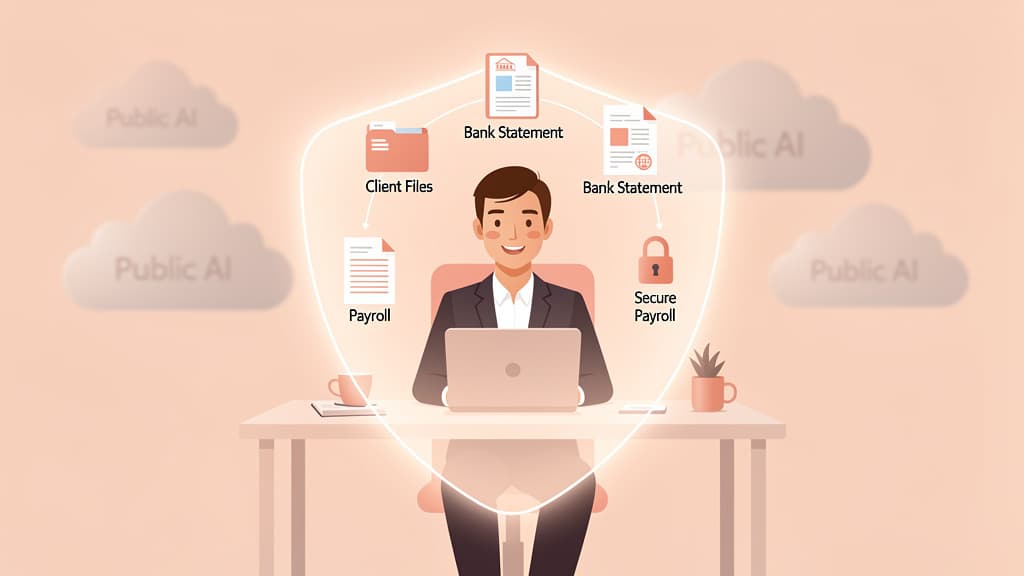
Private AI lets accounting firms use AI on client data without sending it to ChatGPT or Copilot. The complete 2026 guide to what it is and how to choose.
Read more

A client portal for accountants is a secure, firm-branded workspace where clients upload documents, e-sign returns, message your team, and pay invoices without email. The strongest 2026 portals publish real adoption numbers: TaxDome reports that 9 out of 10 clients who log in once keep coming back, Liscio cites a 72% organizer return rate, and Soraban claims 89% client adoption in year one. Those numbers also mark the category's ceiling. A portal is a destination that waits for uploads, and even when it works, the client still has to find every file before anything reaches it.
Key takeaways:

Save this cheat sheet — the portal market in one image.
Strip the marketing and a portal is a permissioned folder with a workflow attached. The five jobs that define the category: a secure place for clients to upload and receive files, legally valid e-signatures (with knowledge-based authentication for IRS forms), a message thread that is not email, structured intake through organizers and document request lists, and invoicing with online payment. Most products bundle a client mobile app on top, because a growing share of client uploads are phone photos of paper documents.
It helps to separate three product shapes that all get called "portals":
Storage-first systems like SmartVault and ShareFile are document management with sharing on top. SmartVault describes itself as a client portal and document management system in one, supports over 3 million users with 500 million stored documents, and integrates directly with tax software like Lacerte, ProConnect, ProSeries, UltraTax CS, and Drake. If your pain is organizing and delivering finished work, this shape fits.
Suite portals live inside full practice management platforms: TaxDome and Canopy both include the portal as one module among CRM, workflow, billing, and document management. You are not buying a portal; you are buying an operating system that has one.
Experience-first and request-first tools attack the client side specifically. Liscio builds around the client relationship (its own framing: the portal was a place clients had to go; Liscio is the place they want to). Content Snare strips the concept down to request lists with automated follow-ups; clients need no account at all, and the company says over 1,900 customers use it to cut chasing time.
Two questions expose the differences that matter more than any feature grid. First: who does the finding when the request says "2025 Stripe 1099-K and payout reports"? Second: where do documents land, inside the vendor's container or delivered into the storage your firm already runs?
The client portal market is unusually honest about its central risk: a portal only works if clients use it. That is why the leading vendors put adoption statistics, not feature lists, at the top of their pages.
TaxDome leads its homepage with "9 out of 10 clients who log in once keep coming back," backed by scale claims of 15,000+ firms and over 5 million of their clients, with a 4.7/5 rating across 7,600+ reviews. Liscio publishes a 72% organizer return rate and 8× faster client responses than email, across 400,000+ users and 20 million+ files. Soraban reports 89% client adoption in year one across more than 350 firms. Double, the bookkeeping-focused portal from the former Keeper team, features a case study of 95% client portal adoption at MCO Bookkeeping and customer quotes of clients responding twice as fast.
Those are genuinely good numbers, and the mechanics behind them are consistent: remove every step between the client and done. No separate account to create, magic links instead of passwords (Double's signature feature), auto-save, and a real mobile app (TaxDome's client app has ranked in the App Store's top 100). At Anna Money we watched more than 60,000 small businesses interact with financial software, and the pattern that predicted adoption was never feature depth; it was how few steps stood between the user and finished.
Now read the numbers in reverse. A 72% organizer return rate, one of the best published figures in the industry, still means roughly one organizer in four never comes back. TaxDome's stat measures clients who log in once; it says nothing about the client who never logs in because the request in their inbox amounts to homework. The portal made uploading easy. It did nothing about the step before uploading: knowing which of three bank accounts the request means, logging into a payroll site visited twice a year, and downloading twelve separate PDFs.
| Tool | Built as | Portal standouts | Vendor-published proof | Pricing posture (July 2026) |
|---|---|---|---|---|
| TaxDome | Full practice management | Client mobile app, organizers, request lists, unlimited e-sign + KBA, Client Care support for your clients | 9 of 10 log-in retention; 15,000+ firms | Public: $800–$1,200/user/year, billed upfront, 1–3-year commitments |
| Canopy | Full practice management | Custom-domain portal, client requests, document checklists, AI meeting notetaker | G2 leader badges | Public: $74–$149/user/month billed annually, plus usage credits |
| Liscio | Client experience platform | Mobile-first portal, File Intelligence reads and renames arriving files | 72% organizer return; 8× faster responses | Pricing via vendor |
| SmartVault | DMS + portal | Audit-ready storage, deep tax-software integrations | 3M+ users, 500M+ documents | Pricing via vendor |
| Content Snare | Request-first collection | No client account needed, auto-follow-ups | 1,900+ customers; 71% less chasing time | Public, self-serve trial |
| Double | Bookkeeping client portal | Magic links, branded portal | 95% adoption case study | Public |
| SafeSend | Return assembly and delivery | E-sign and delivery automation | Used by 70% of Top 100 firms | Sales-quoted |
Three notes the table cannot carry. TaxDome and Canopy are the two suites most firms end up shortlisting against each other, and they price in opposite philosophies: one all-inclusive per-seat price versus a modular base plus consumption credits. We run that comparison in detail in TaxDome vs Canopy. SafeSend belongs on the list even though it is delivery-side, because many firms pair it with a separate portal and discover they are paying for two client experiences. And TaxCaddy (SurePrep's client app) deserves a footnote as the one partial exception to the category's core limitation: it can automatically retrieve W-2s, 1099s, and 1098s from linked financial institutions. The retrieval is connector-based and only reaches institutions the client links, but it is the first mainstream acknowledgment that the finding, not the uploading, is the real bottleneck.
Every tool above automates the asking: a nicer container for uploads, plus automated reminders so the follow-up costs your staff nothing. That is genuine progress. Portals turned "reply to 12 emails" into "upload 12 files."
The homework survived the upgrade. The client still has to know which documents exist, remember where each one lives, log into the bank and payroll and brokerage sites that hold them, and download the right year, the right account, the right format. That is the work behind the 1-in-4 organizers that never come back, and no reminder cadence changes it, because the fourth automated reminder does not know where the 1099-K is either.
This is why 2026's shift is not a better portal but a different layer: client-side agents that do the finding. The agent works on the client's side, searches only the sources the client approves (an inbox, a Downloads folder, a Stripe or payroll account), assembles the packet, and the client approves it before anything moves. The portal keeps its job; it finally gets fed on time.
Honesty cuts both ways. A solo preparer with 30 returns and clients who already email clean PDFs will not recoup a $1,000-per-seat platform; a shared drive plus a disciplined request-list template covers the same ground. A bookkeeping practice whose data arrives through bank feeds and receipt forwarding may only need its GL's client access. And if your only pain is delivery and e-signature on finished returns, delivery-side tools solve that without a full portal migration. Buy a portal when the volume of client-supplied documents, not the idea of one, justifies it.
A portal is where documents land. Jupid's Client Document Agent is how they get there. When a client cannot find the files your request names, the agent searches the sources that client explicitly approves, organizes what it finds, flags what is missing, and presents a packet the client approves before it is delivered into TaxDome, Canopy, SafeSend, or SharePoint. It runs under SOC 2 controls and replaces nothing in your stack; it is the supply line into whichever portal you just chose. If one client's ignored request list is sitting open right now, see how the agent handles it and book a 30-minute walkthrough.
Vendor statistics and prices in this guide are the vendors' own published claims as of July 2026, cited for comparison, not independently audited; confirm current pricing directly before purchasing. This article is general information for firm operations, not legal, tax, or purchasing advice.

CEO & Co-Founder
Fintech CEO with 10+ years building accounting and financial technology products. Previously co-founded and scaled an AI-powered accounting platform to $30M revenue and 100K+ business users, achieving 30,000 customers per accountant through automation — recognized by CNBC as a top fintech company. Holds a Master's in Management Information Systems. At Jupid, he leads the development of AI-native bookkeeping, tax, and compliance tools designed for freelancers and small business owners.
Private AI lets accounting firms use AI on client data without sending it to ChatGPT or Copilot. The complete 2026 guide to what it is and how to choose.

Run AI on your own hardware so client data never leaves the office. A 2026 guide to local LLMs for accountants: tools, models, hardware, and limits.
Microsoft 365 Copilot has real enterprise protections, but it's a productivity layer, not a client-file workspace. Here's where it fits for accountants.
New here? Enter this code at checkout and your first month is on us — full AI bookkeeping, tax filing, and a 24/7 accountant, $0 for 30 days.
New customers. First month free with code NEW2026, cancel anytime.
Join 1,000+ businesses using Jupid to save time and money. Start simplifying your finances today.
30-day money-back guarantee